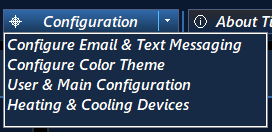
To add or change your Smart Plug configuration for your heating and cooling devices click on the Configuration tab located along the top of the Dashboard then click on the Heading & Cooling Devices menu option.
The Heading & Cooling Automated Devices window will be shown as seen below.
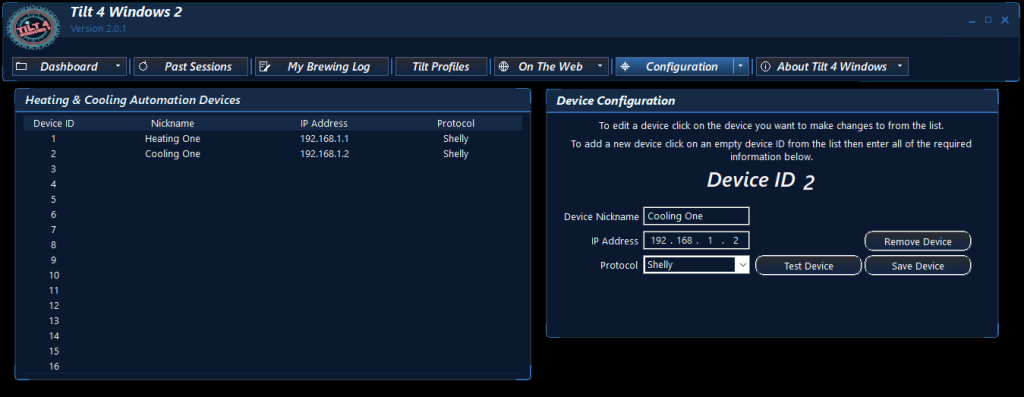
Managing Smart Plugs:
To Add a New Device:
- Click on an empty slot in the device list.
- Enter a custom Nickname and the device’s IP Address.
- Select the appropriate communication Protocol from the dropdown menu.
- Test the connection by plugging an appliance (like a lamp) into the smart plug and clicking Test Device. The plug will cycle on briefly to confirm it works.
- Click Save Device to finalize the setup.
To Edit or Remove a Device:
- Modify: Select the smart plug from the list, apply your changes, and click Save Device.
- Delete: Click the device you wish to delete from the list, then click Remove Device.